


- By Admin
-
 Profitability
-
 28 August, 2026
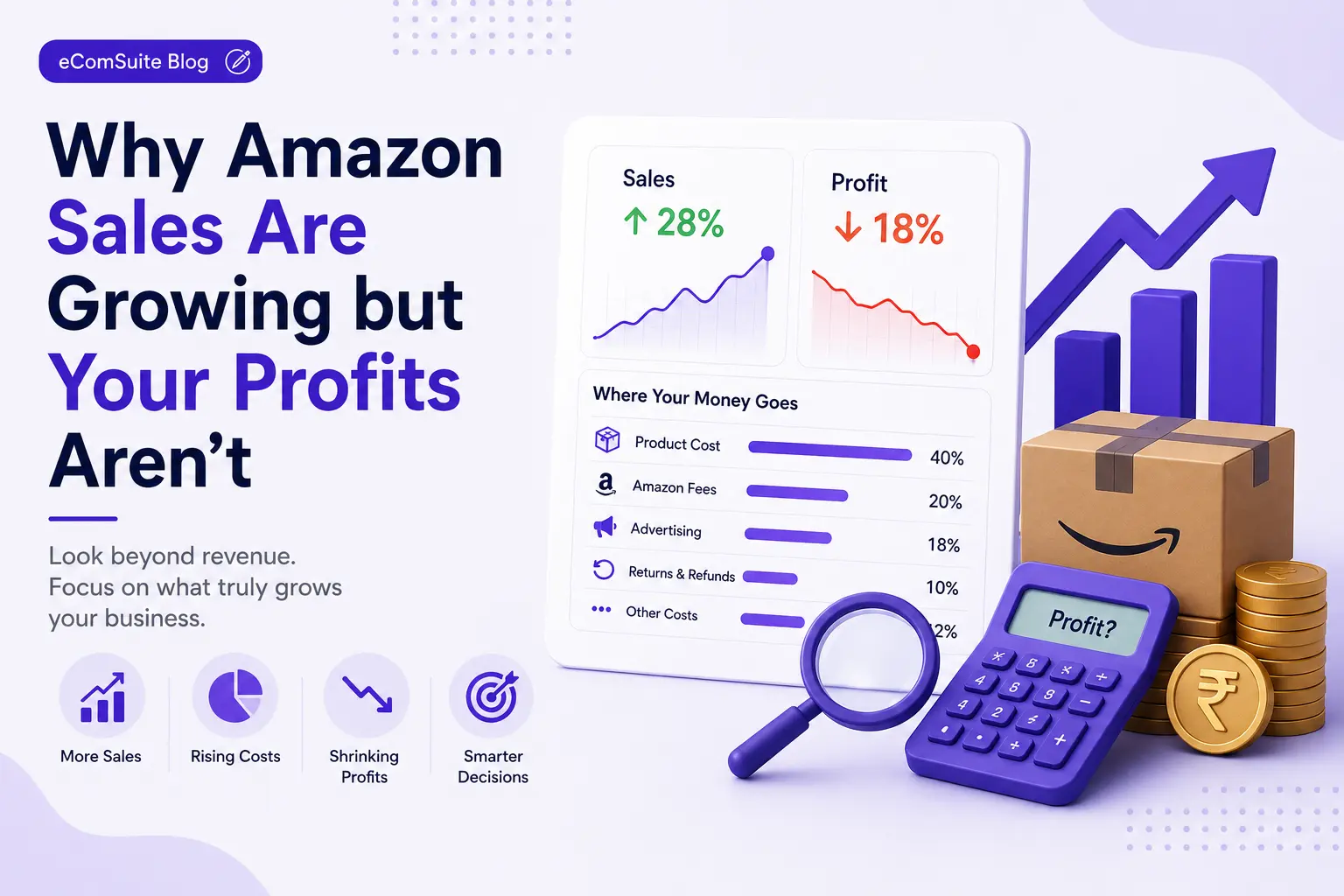
Growing sales on Amazon is exciting. More orders, higher revenue, and stronger sales charts usually look like signs that your business is moving in the right direction. But there is an important question every Amazon seller should ask:
Are your sales growing faster than your profits?
A seller can increase revenue by 20%, 30%, or even 50% and still see little improvement in the money the business actually keeps.
Why?
Because revenue is only one part of the equation. Amazon sellers need to account for advertising costs, referral fees, FBA fees, returns, discounts, storage, cost of goods, and other operating expenses before they can understand whether their growth is actually profitable. This is where true profitability becomes important.
Instead of asking only, "How much did I sell?", sellers should also ask:
"How much profit did I generate after all the costs required to make those sales?"
Sales Growth Doesn't Always Mean Profit Growth
Imagine an Amazon seller generated ₹10 lakh in sales last month. This month, sales increased to ₹12 lakh. At first glance, that looks like excellent growth a-20% increase in revenue.
But suppose the seller also increased:
- Advertising spend
- Discounts
- FBA and fulfillment costs
- Returns
- Product costs
- Promotional expenses
After accounting for these costs, the actual profit may have increased only slightly or even decreased. This is one of the most common mistakes sellers make when evaluating growth.
Revenue tells you how much you sold. Profit tells you how much value your business actually created.
That difference is critical when making decisions about advertising, inventory, pricing, and product expansion.
The Real Cost Behind an Amazon Sale
An Amazon order generates revenue, but several costs can be associated with that order. A simplified profitability calculation can look like this:
Net Profit = Sales Revenue − Product Cost − Amazon Fees − Advertising Cost − Fulfillment Costs − Returns − Discounts − Other Operating Costs
The exact calculation will vary depending on the seller's business model, marketplace, fulfillment method, and product category.
However, the principle remains the same:
You need to look beyond revenue and advertising metrics to understand profitability.
1. Cost of Goods Sold
Your product may sell for ₹2,000, but that doesn't mean you made ₹2,000. If the product costs ₹800 to manufacture or purchase, that cost needs to be considered when calculating profitability.
For example:
- Selling Price: ₹2,000
- Product Cost: ₹800
- Gross Margin Before Other Costs: ₹1,200
That ₹1,200 still needs to cover Amazon fees, advertising, fulfillment, returns, discounts, and other expenses. Knowing your SKU-level product cost is therefore essential.
2. Amazon Fees
Amazon charges different fees depending on the marketplace, category, fulfillment method, and other factors.
These may include:
- Referral fees
- Fulfillment fees
- Closing or other applicable fees
- Storage fees
- Removal or disposal fees
- Other marketplace-related charges
A product that appears highly profitable based only on selling price can become much less profitable after these costs are included. This is why sellers should evaluate profitability at the SKU level, rather than relying only on overall account revenue.
3. Advertising Costs
Advertising is one of the biggest variables affecting Amazon profitability.
Suppose a product generates:
- ₹5,00,000 in sales
and advertising spend is:
- ₹1,00,000
The advertising cost alone represents 20% of sales. A common mistake is to look at advertising performance in isolation.
For example:
ACOS = Advertising Cost ÷ Ad-attributed Sales × 100
A campaign may have an attractive ACOS while the product itself remains unprofitable after accounting for product costs, Amazon fees, returns, and other expenses. That's why ACOS should not be treated as a profitability metric by itself.
4. Returns and Refunds
Returns can quietly reduce profitability. A product might generate strong sales and advertising performance, but a high return rate can significantly affect the final economics.
Returns may create costs related to:
- Refunds
- Reverse logistics
- FBA processing
- Damaged or unsellable inventory
- Lost sales opportunities
- Additional customer service costs
For products with significant return rates, sellers should evaluate net sales and profitability after returns, rather than looking only at gross sales.
5. Discounts and Promotions
Discounts can help increase conversion and sales velocity. But every discount reduces the amount of revenue available to cover costs.
For example:
- Original price: ₹2,500
- Discount: ₹500
- Actual selling price: ₹2,000
If your product economics were already tight, a ₹500 discount can have a significant impact on contribution margin. Promotions should therefore be evaluated based on their incremental profit, not just the additional number of orders they generate.
The Difference Between Revenue, Margin, and Profit
Understanding these terms is essential for Amazon sellers.
| Metric | What it tells you |
| Revenue | How much money your products generated from sales |
| Gross Profit | Revenue remaining after direct product costs |
| Contribution Margin | What remains after variable costs required to generate and fulfill sales |
| Net Profit | What remains after applicable business expenses |
A product can have:
High Revenue + Low Margin = Weak Profitability
Another product can have:
Lower Revenue + High Margin = Strong Profitability
This is why your best-selling product isn't necessarily your most profitable product.
A Simple Example: Two Products, Two Different Outcomes
Consider two products.
Product A
- Sales: ₹5,00,000
- Product costs: ₹2,00,000
- Amazon fees: ₹1,00,000
- Advertising: ₹1,00,000
- Returns and other costs: ₹50,000
- Remaining contribution: ₹50,000
Product B
- Sales: ₹3,00,000
- Product costs: ₹1,00,000
- Amazon fees: ₹50,000
- Advertising: ₹30,000
- Returns and other costs: ₹20,000
- Remaining contribution: ₹1,00,000
Product A generated ₹2 lakh more revenue. But Product B generated twice the contribution. If you only optimize for sales, Product A looks like the winner.
If you optimize for profitability, Product B is the stronger product.
The Metrics Amazon Sellers Should Monitor
Instead of relying on a single number, sellers should build a complete profitability view.
1. Revenue
Revenue helps you understand the scale of your business. But it should be treated as the starting point, not the final measure of success.
2. Gross Margin
Gross margin shows how much revenue remains after direct product costs.
A simple formula is:
Gross Margin = (Revenue − Cost of Goods) ÷ Revenue × 100
3. ACOS
ACOS helps measure advertising efficiency.
ACOS = Ad Spend ÷ Ad Revenue × 100
It is useful for understanding advertising performance, but it doesn't represent complete business profitability.
4. TACOS
TACOS measures advertising spend against total sales.
TACOS = Total Ad Spend ÷ Total Sales × 100
It provides a broader view of how advertising contributes to overall sales.
5. Return Rate
A high return rate can reduce the profitability of otherwise successful products. Tracking return rate alongside sales and advertising performance can reveal products that require investigation.
6. Contribution Margin
Contribution margin is particularly useful for decision-making because it considers the variable costs associated with generating sales.
It helps answer:
"After the costs directly associated with selling this product, how much value is left?"
Why SKU-Level Profitability Matters
Looking at your entire Amazon account can hide important problems.
You might see:
Total Sales: ₹50 lakh
and assume everything is performing well.
But when you break the business down by SKU, you may discover:
- 10 products generate most of the profit
- 5 products generate strong sales but very little profit
- 3 products consistently lose money
- Several products have unusually high advertising costs
- Some products have high return rates
This is why profitability analysis should move from:
Account → Marketplace → Product → SKU
The more granular the analysis, the better your decisions become.
What Should You Do with Unprofitable Products?
Finding an unprofitable product doesn't automatically mean you should stop selling it.
First, identify why it is unprofitable.
If advertising costs are too high
Review:
- Search terms
- Keywords
- Campaign structure
- Bids
- Placement performance
- Wasted spend, including keywords competing against each other within your own account, which is a surprisingly common source of it
If product costs are too high
Explore:
- Supplier negotiations
- Packaging changes
- Manufacturing efficiency
- Alternative sourcing
If returns are too high
Investigate:
- Product quality
- Listing expectations
- Product descriptions
- Customer complaints
- Product variations
If Amazon fees are consuming margin
Review:
- Pricing
- Fulfillment strategy
- Product dimensions
- Packaging
- Category economics
If the selling price is too low
Test whether the product can support:
- A price adjustment
- Better positioning
- Bundling
- Premium variations
The goal isn't simply to eliminate low-performing products.
The goal is to understand what is preventing them from being profitable.
Should You Increase Advertising on a Profitable Product?
Not necessarily.
A profitable product can still have limited growth potential.
Before increasing advertising spend, consider:
- Is inventory available?
- Is the product converting well?
- Is the contribution margin healthy?
- Is the additional advertising generating incremental sales?
- Are organic sales being affected?
- Can the product remain profitable at higher ad spend?
The best growth decision is not always:
"Spend more."
Sometimes it is:
"Spend more where the economics support it."
Build a Profitability-First Amazon Strategy
A strong Amazon growth strategy should connect four areas:
Demand → Advertising → Sales → Profitability
For example:
- Identify products with strong demand.
- Understand their conversion and sales performance.
- Measure the advertising required to generate incremental sales.
- Calculate the costs associated with those sales.
- Identify the resulting contribution.
- Scale products with sustainable economics.
- Fix or reconsider products that consistently destroy margin.
This creates a much healthier growth strategy than optimizing revenue alone.
How Data Can Help Sellers Make Better Profitability Decisions
Amazon sellers have access to a large amount of data. The challenge isn't necessarily getting more data.
The challenge is turning that data into actionable decisions.
A useful profitability view should help you answer questions such as:
- Which SKUs generated the most profit?
- Which products have high sales but low margins?
- Which products are consuming the most advertising budget?
- Which products have increasing return rates?
- Where is advertising spend being wasted?
- Which products should receive additional budget?
- Which products need pricing or cost optimization?
- How is profitability changing over time?
Instead of manually combining data from multiple reports, sellers can use a centralized analytics platform to connect sales, advertising, returns, inventory, and financial data.
Turning Amazon Data Into Action With eComSuite
eComSuite is designed to help Amazon sellers get a more connected view of their business performance.
Instead of looking at sales, advertising, inventory, returns, and financial data separately, sellers can use eComSuite to understand how these areas affect overall business performance.
For example, SKU Unit Economics can help sellers understand product-level economics, while Ad Intelligence provides visibility into advertising performance.
Sales Insights can help identify sales trends and product performance, while Return Analytics can help sellers understand how returns affect their business.
The goal is not simply to provide more dashboards.
It is to help sellers move from:
"What happened?"
to:
"Why did it happen?"
and ultimately:
"What should I do next?"
A Practical Weekly Profitability Review
You don't need to wait until the end of the month to understand profitability. A simple weekly review can help you identify problems earlier.
Every week, review:
Sales
- Total sales
- Sales by SKU
- Sales growth
Advertising
- Ad spend
- ACOS
- TACOS
- Campaign efficiency
- Wasted spend
Products
- Product margin
- Contribution
- Top and bottom performers
Returns
- Return rate
- Refund value
- Products with unusual return increases
Inventory
- Available inventory
- Stockout risk
- Slow-moving inventory, tracked in eComSuite's Inventory Management tools
Financial performance
- Total costs (see Finance Reporting for a consolidated view)
- Contribution margin
- Profitability trend
This gives you a much more complete picture than checking revenue alone.
The Bottom Line
Amazon growth should not be measured only by how quickly your sales increase.
Sustainable growth is profitable growth.
A product generating ₹10 lakh in revenue isn't necessarily better than one generating ₹5 lakh.
The more important question is:
How much profit does each product generate after all the costs required to sell it?
By combining sales, advertising, product costs, Amazon fees, returns, discounts, and inventory data, sellers can identify where their business is genuinely creating value.
The ultimate goal is simple:
Sell more. Waste less. Protect your margins. Grow profitably.
For Amazon sellers, that shift, from revenue-first thinking to profitability-first decision-making, can make the difference between a business that is simply growing and a business that is actually becoming stronger.
Get Started
Sign Up - Free